참고자료
https://velog.io/@049494/%EA%B5%AC%EA%B8%80-%EB%A1%9C%EA%B7%B8%EC%9D%B8
🔐 리액트로 구글 로그인 구현해보기 (Google OAuth)
리다이렉트 주소를 서버가 아닌 클라이언트로! 서버로 되어 있으면 클라이언트에서 code를 받을 수가 없다.
velog.io
https://support.google.com/accounts/answer/12849458?hl=ko
Google 계정으로 로그인 - Google 계정 고객센터
Google 계정으로 로그인의 이점 중요: Google 계정으로 로그인을 사용하려면 Google 계정이 필요합니다. Google 계정이란 Gmail, Drive, 기타 Google 앱에 사용하는 바로 그 계정입니다. Google 계정으로 로그인
support.google.com
https://developers.google.com/identity/sign-in/web/sign-in?hl=ko
웹 앱에 Google 로그인 통합 | Authentication | Google for Developers
이 페이지는 Cloud Translation API를 통해 번역되었습니다. 의견 보내기 웹 앱에 Google 로그인 통합 컬렉션을 사용해 정리하기 내 환경설정을 기준으로 콘텐츠를 저장하고 분류하세요. 경고: Google 로
developers.google.com
구글 클라우드 콘솔 접속
https://console.cloud.google.com/
Google 클라우드 플랫폼
로그인 Google 클라우드 플랫폼으로 이동
accounts.google.com
프로젝트 생성
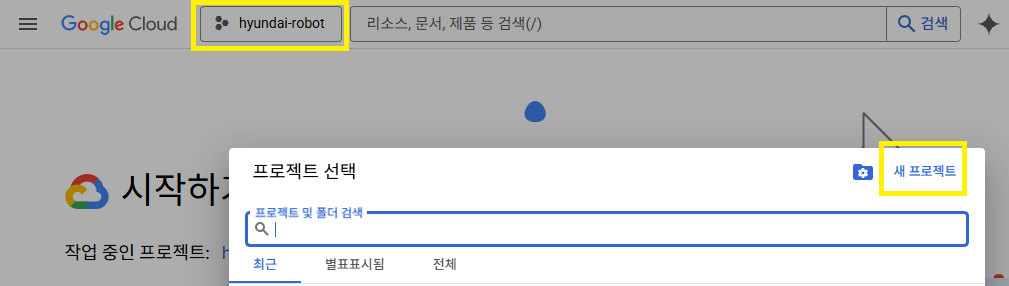
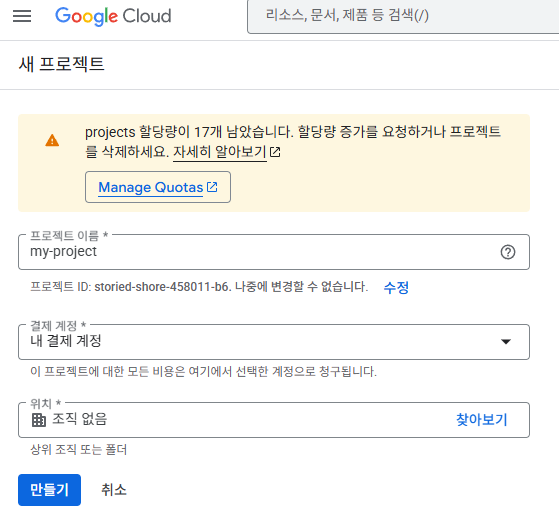
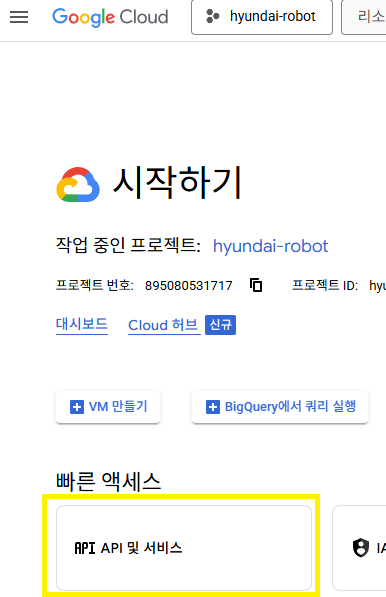
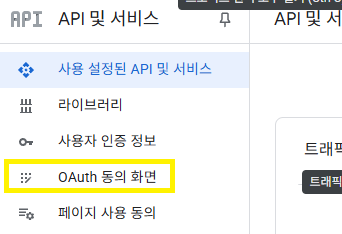
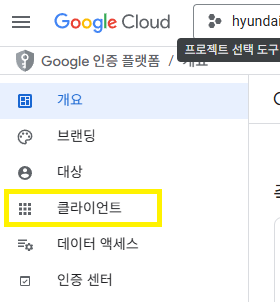
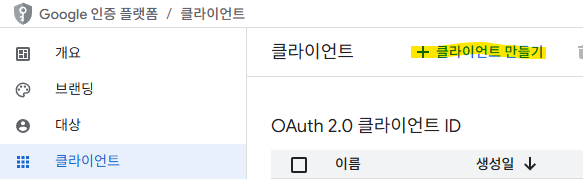
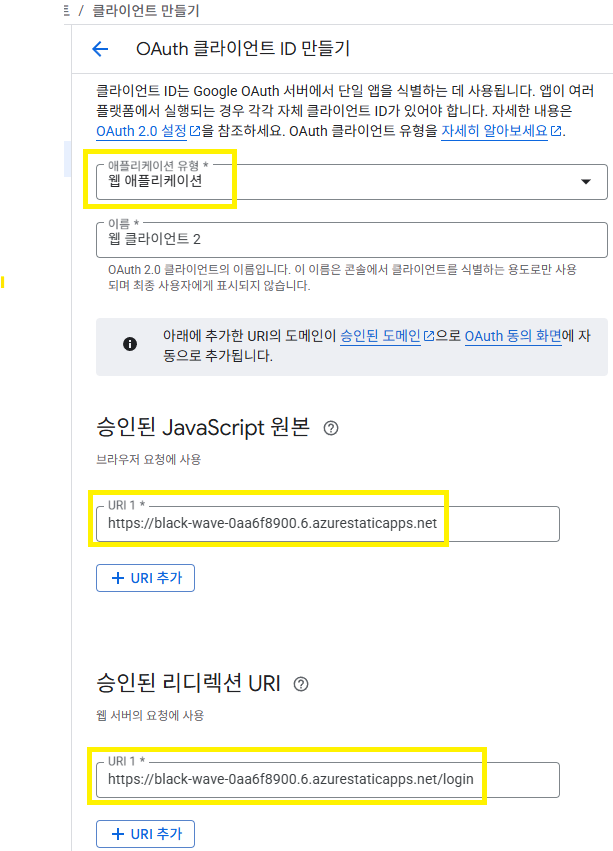
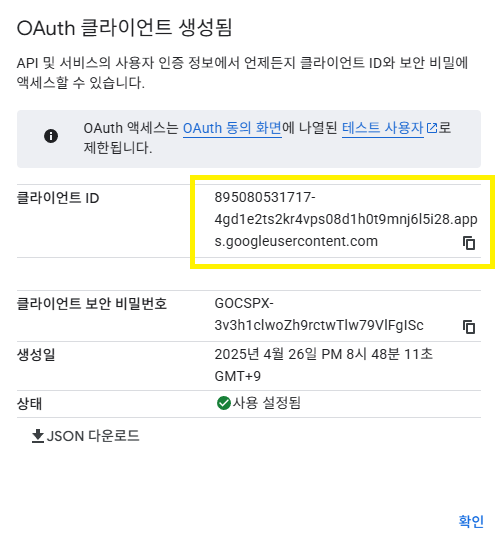
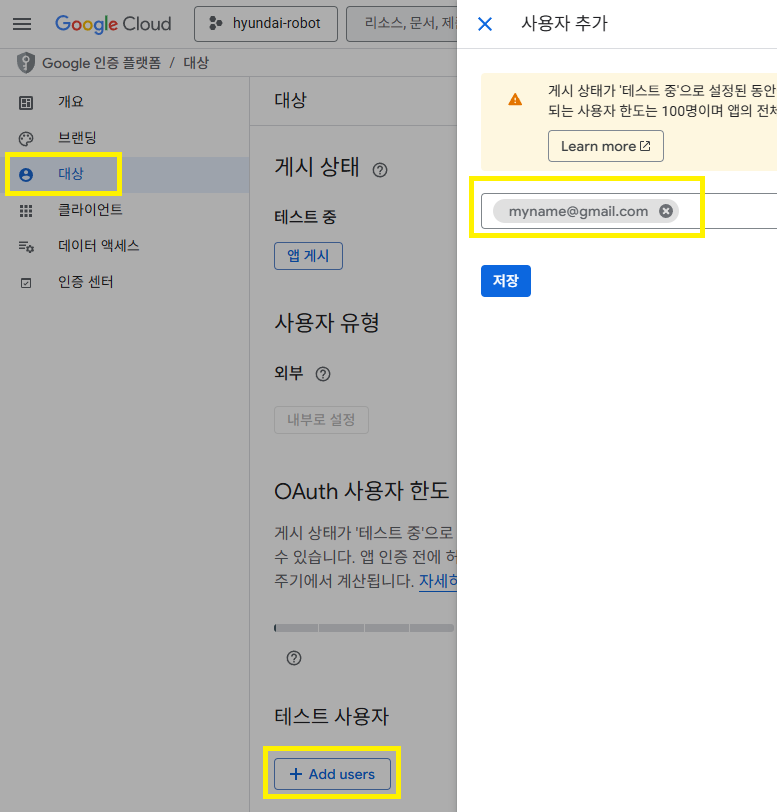
웹 브라우저에 직접 URI를 입력해서 시험해본다.
client_id와 redirect_uri는 입력한 것과 한 글자도 다르지 않게 일치해야 한다!
https://accounts.google.com/o/oauth2/v2/auth?
client_id=895080531717-1q9h1u9vo8nrhre1b3tk0483a6ga5j37.apps.googleusercontent.com
&redirect_uri=https://black-wave-0aa6f8900.6.azurestaticapps.net
&response_type=code
&scope=email+profile
브라우저 세션이나 쿠키에 있는 로그인 상태를 강제로 제거하기:
아래 링크에서 log-out을 하면 된다.
https://accounts.google.com/logout
로그인 - Google 계정
이메일 또는 휴대전화
accounts.google.com
'programming > db, web, node.js' 카테고리의 다른 글
| [JavaScript] Promise (0) | 2025.03.03 |
|---|---|
| [React] vscode snippet - classmate, container (0) | 2025.03.02 |
| [mongoDB v7] 2. Robo 3T client 설치, 실행 (0) | 2025.02.23 |
| [mongoDB v7] 1. server 설치, config, 실행 (0) | 2025.02.23 |
| axios@1 import 시, Cannot use import statement outside a module 발생 대처 방법 (0) | 2025.02.01 |

